0.3元/时
Qwen-ASR
Qwen3-ASR 系列包括 Qwen3-ASR-1.7B 和 Qwen3-ASR-0.6B,支持 52 种语言和方言的语言识别与语音识别(ASR)。
运行环境
框架版本
CUDA版本
12.4
应用
JupyterLab: 8888
自定义开放端口
8000
支持卡型
RTX40系RTX50系
+6
Qwen3-ASR
镜像简介
在此处简要描述该镜像的核心功能、用途和主要特点。
- 1. 功能: 这个镜像主要用于语音识别
- 特点: Qwen3-ASR 系列包括 Qwen3-ASR-1.7B 和 Qwen3-ASR-0.6B,支持 52 种语言和方言的语言识别与语音识别(ASR)。两者均利用大规模语音训练数据以及其基础模型 Qwen3-Omni 强大的音频理解能力。实验表明,1.7B 版本在开源 ASR 模型中达到业界领先水平,并可与最强的商业闭源 API 相媲美。
环境与依赖
本镜像构建和运行所需的基础环境。
- 框架及版本: (例如:PyTorch 2.4.0)
- CUDA版本: (例如:CUDA 12.4)
- 其他依赖: (例如:Python 3.12)
使用方法:
注意:支持 0.6B, 1.7B两种模型,请自行选择替换命令
1. 通过api方式访问
cd  /workspace
conda activate qwen-asr
qwen-asr-serve ./Qwen3-ASR-0.6B --gpu-memory-utilization 0.8 --host 0.0.0.0 --port 8000
当命令行出现

即可使用api进行访问
1.1 使用curl命令访问
curl请求示例
curl http://117.50.198.70:8000/v1/chat/completions     -H "Content-Type: application/json"     -d '{
    "messages": [
    {"role": "user", "content": [
        {"type": "audio_url", "audio_url": {"url": "https://qianwen-res.oss-cn-beijing.aliyuncs.com/Qwen3-ASR-Repo/asr_en.wav"}}
    ]}
    ]
    }'
curl 返回示例
{"id":"chatcmpl-8883581480530eb3","object":"chat.completion","created":1770027449,"model":"Qwen/Qwen3-ASR-1.7B","choices":[{"index":0,"message":{"role":"assistant","content":"language English<asr_text>Uh huh. Oh yeah, yeah. He wasn't even that big when I started listening to him, but and his solo music didn't do overly well, but he did very well when he started writing for other people.","refusal":null,"annotations":null,"audio":null,"function_call":null,"tool_calls":[],"reasoning":null,"reasoning_content":null},"logprobs":null,"finish_reason":"stop","stop_reason":null,"token_ids":null}],"service_tier":null,"system_fingerprint":null,"usage":{"prompt_tokens":211,"total_tokens":260,"completion_tokens":49,"prompt_tokens_details":null},"prompt_logprobs":null,"prompt_token_ids":null,"kv_transfer_params":null}
反应时间:
- curl 的时间第一次大概在 0.7s
- 之后的时间在 0.5s 以内
1.2 Openai 接口
同时也支持openai接口进行访问
import base64
import httpx
from openai import OpenAI

# Initialize client
client = OpenAI(
    base_url="http://ip:8000/v1",
    api_key="EMPTY"
)

# Create multimodal chat completion request
response = client.chat.completions.create(
    model="./Qwen3-ASR-0.6B",
    messages=[
        {
            "role": "user",
            "content": [
                {
                    "type": "audio_url",
                    "audio_url": {
                        "url": "https://qianwen-res.oss-cn-beijing.aliyuncs.com/Qwen3-ASR-Repo/asr_en.wav"
                    }
                }
            ]
        }
    ],
)
反应时间:
- 大约1s
1.3 vLLM 的 OpenAI 转录 API
支持通过 vLLM 的 OpenAI 转录 API 使用
import httpx
from openai import OpenAI

# Initialize client
client = OpenAI(
    base_url="http://117.50.198.70:8000/v1",
    api_key="EMPTY"
)
audio_url = "https://qianwen-res.oss-cn-beijing.aliyuncs.com/Qwen3-ASR-Repo/asr_en.wav"
audio_file = httpx.get(audio_url).content

transcription = client.audio.transcriptions.create(
    model="./Qwen3-ASR-0.6B",
    file=audio_file,
)

print(transcription.text)
反应时间:
- 大约2.5s
2. 通过web ui访问
首先确保所在目录和conda环境正确
cd  /workspace
conda activate qwen-asr
2.1 webui - http
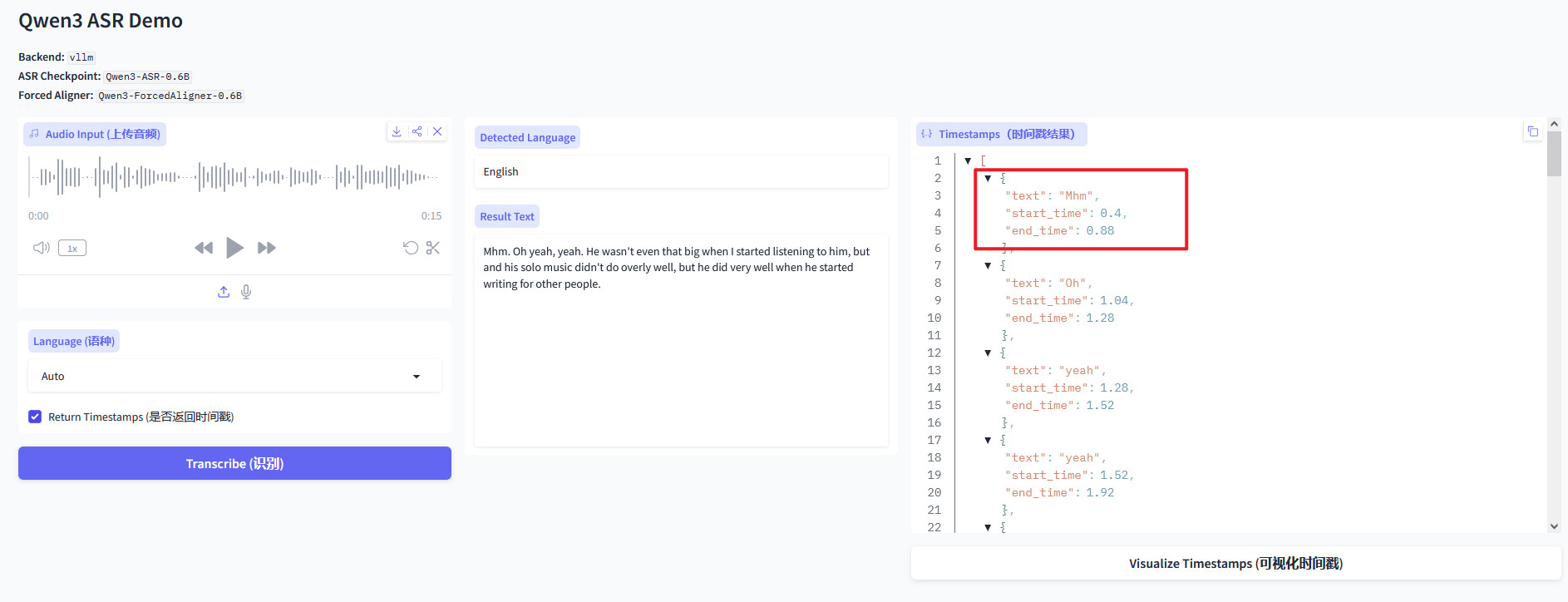
2.1.1 带时间戳
- 1.7B 占用GPU 18G
# vLLM backend + Forced Aligner (enable timestamps)
qwen-asr-demo \
  --asr-checkpoint ./Qwen3-ASR-1.7B \
  --aligner-checkpoint ./Qwen3-ForcedAligner-0.6B \
  --backend vllm \
  --cuda-visible-devices 0 \
  --backend-kwargs '{"gpu_memory_utilization":0.7,"max_inference_batch_size":8,"max_new_tokens":2048}' \
  --aligner-kwargs '{"device_map":"cuda:0","dtype":"bfloat16"}' \
  --ip 0.0.0.0 --port 8000
- 0.6B 占用GPU 18G
# vLLM backend + Forced Aligner (enable timestamps)
qwen-asr-demo \
  --asr-checkpoint ./Qwen3-ASR-0.6B \
  --aligner-checkpoint ./Qwen3-ForcedAligner-0.6B \
  --backend vllm \
  --cuda-visible-devices 0 \
  --backend-kwargs '{"gpu_memory_utilization":0.7,"max_inference_batch_size":8,"max_new_tokens":2048}' \
  --aligner-kwargs '{"device_map":"cuda:0","dtype":"bfloat16"}' \
  --ip 0.0.0.0 --port 8000
访问 http://ip:8000 ,
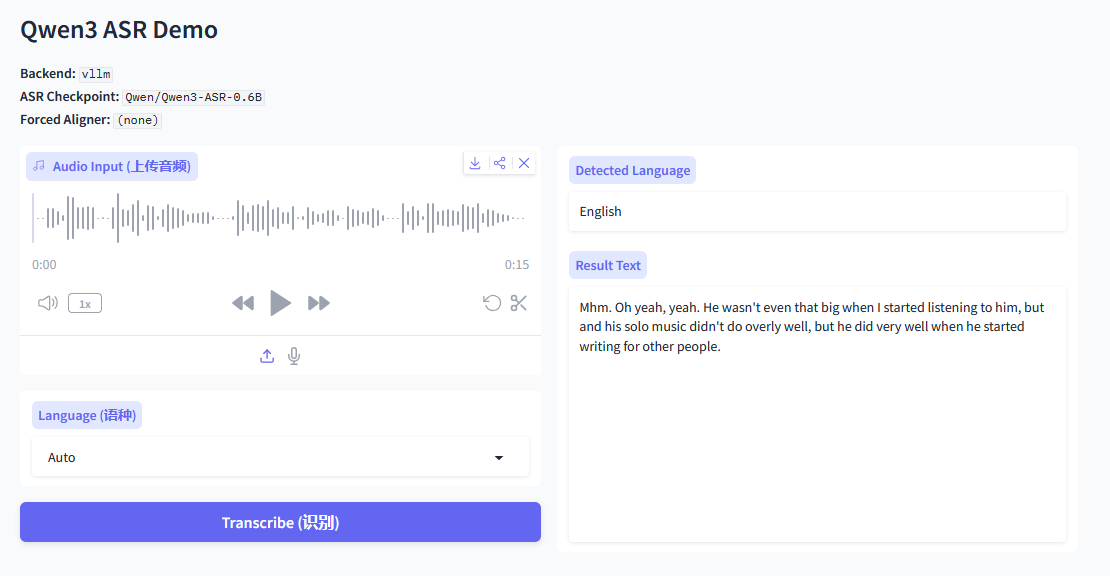
2.2.2 不带时间戳
0.6B 占用GPU 15G
# vLLM backend + Forced Aligner (enable timestamps)
qwen-asr-demo \
  --asr-checkpoint ./Qwen3-ASR-0.6B \
  --backend vllm \
  --cuda-visible-devices 0 \
  --backend-kwargs '{"gpu_memory_utilization":0.7,"max_inference_batch_size":8,"max_new_tokens":2048}' \
  --aligner-kwargs '{"device_map":"cuda:0","dtype":"bfloat16"}' \
  --ip 0.0.0.0 --port 8000
访问 http://ip:8000 ,
webui - https
创建sshkey
openssl req -x509 -newkey rsa:2048 \
  -keyout key.pem -out cert.pem \
  -days 3650 -nodes \
  -subj "/CN=localhost"
qwen-asr-demo \
  --asr-checkpoint ./Qwen3-ASR-0.6B \
  --aligner-checkpoint ./Qwen3-ForcedAligner-0.6B \
  --backend vllm \
  --cuda-visible-devices 0 \
  --backend-kwargs '{"gpu_memory_utilization":0.7,"max_inference_batch_size":8,"max_new_tokens":2048}' \
  --aligner-kwargs '{"device_map":"cuda:0","dtype":"bfloat16"}' \
  --ssl-certfile cert.pem \
  --ssl-keyfile key.pem \
  --no-ssl-verify
访问 https://ip:8000 ,可以使用麦克风
问题
如果访问失败,请检查 8000 端口是否开放